Throttlestop
ThrottleStop / tpl
TPL - Turbo Power Limits
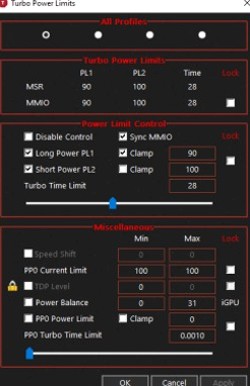
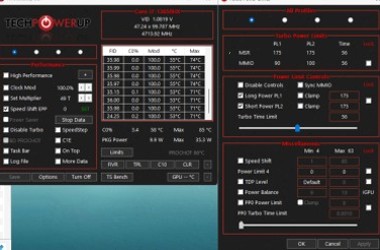
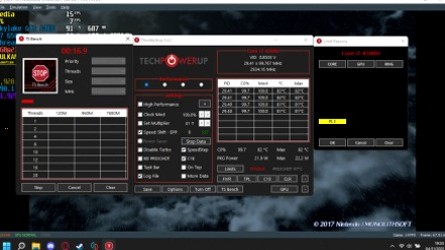
If Limit Reasons flashes PL1 or PL2 while the package is still at 70°C, the laptop is not thermal throttling. The BIOS put a watt ceiling on the CPU. TPL is the ThrottleStop window that shows Turbo Boost Long Power Max (PL1), Short Power Max (PL2) and Turbo Time Limit.
PL1, PL2 and Cinebench
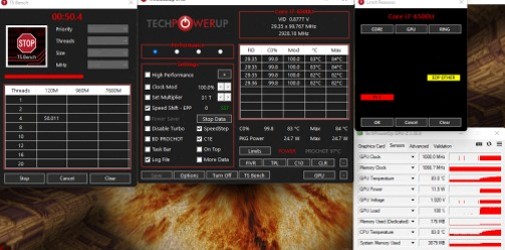
PL2 is the short burst. PL1 is what Cinebench R23 and a long raid hold after Tau seconds. A gaming laptop that dumps from 115 W to 45 W is doing it on purpose. Raising PL1 toward PL2 only helps if the cooler can dump that heat. If Thermal lights up after you raise watts, you just moved the bottleneck.
Speed Shift, SpeedStep, C1E
Speed Shift belongs in TPL (enable the checkbox) and on the main window (EPP 0-255). 0 is maximum performance, 128 is balanced, 255 is battery. Dell XPS 9550 / 9560 shipped with Speed Shift off - that is why the TPL checkbox exists. SpeedStep is the older OS-level cousin. C1E on the main window parks cores; disable it only if you are chasing audio latency, not FPS.
ThrottleStop 9.7 stores turbo power limits, Speed Shift min/max and PROCHOT offset per profile. Set PL1 for the Game profile and a lower PL1 for Battery without reopening TPL every time.
What the BIOS is doing instead
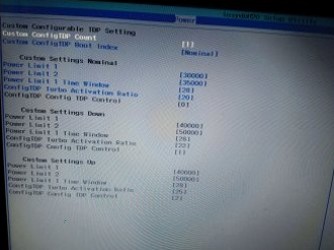
Some boards expose the same PL1/PL2 numbers as "Configurable TDP" in firmware. ThrottleStop TPL is the Windows-side override of that table. If MMIO keeps winning, tick MMIO Lock.